
Overview and live status
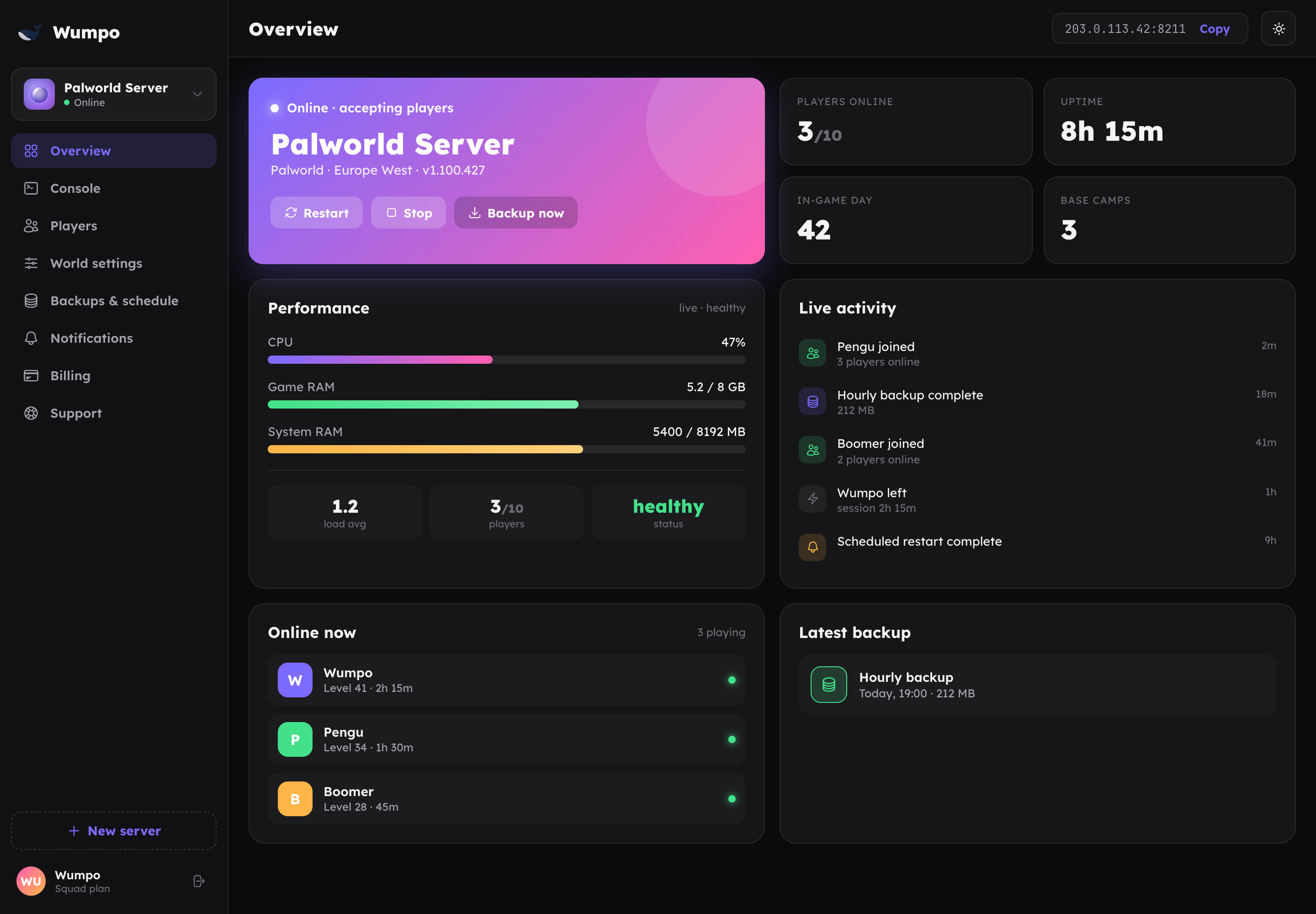
The Overview panel is the home screen for each server. It shows whether the server is online, who is playing, how it is performing, and gives you the main power controls.
Live status
At the top you will see the server's current state, for example Online, Starting or Stopped, and the current player count. This updates on its own as things change, so you do not need to refresh.
Power controls
- Start brings a stopped server online.
- Stop shuts the server down. While it is stopped it is not using resources, and if you have hibernation enabled it can earn Wumpo Points.
- Restart performs a clean restart. Before restarting we announce it in game (where supported), save the world, and take a safety backup, so nobody loses progress.
When you trigger a power action, the dashboard shows its progress and then settles to the real state once the server confirms it.
Performance at a glance
The Overview shows a live snapshot of how the server is doing, such as processor use and memory. This is handy for spotting when a world is getting heavy, for example a very large base or a busy modpack. If performance is regularly maxed out, a larger plan may help.
Connect address
Your server's connect address is shown here. Share it with your squad so they can join. For step-by-step connection help per game, see Connecting to your server.
Automatic upkeep
Even when you are not looking, your server looks after itself: hourly backups, a daily off-peak restart to keep it fresh, and automatic updates. You do not need to do anything to keep these running.