
Backups and restore
Wumpo backs up your world automatically, so a mistake, a griefer or a bad update never means starting over. The Backups panel lists your saves and lets you restore any of them with one click.
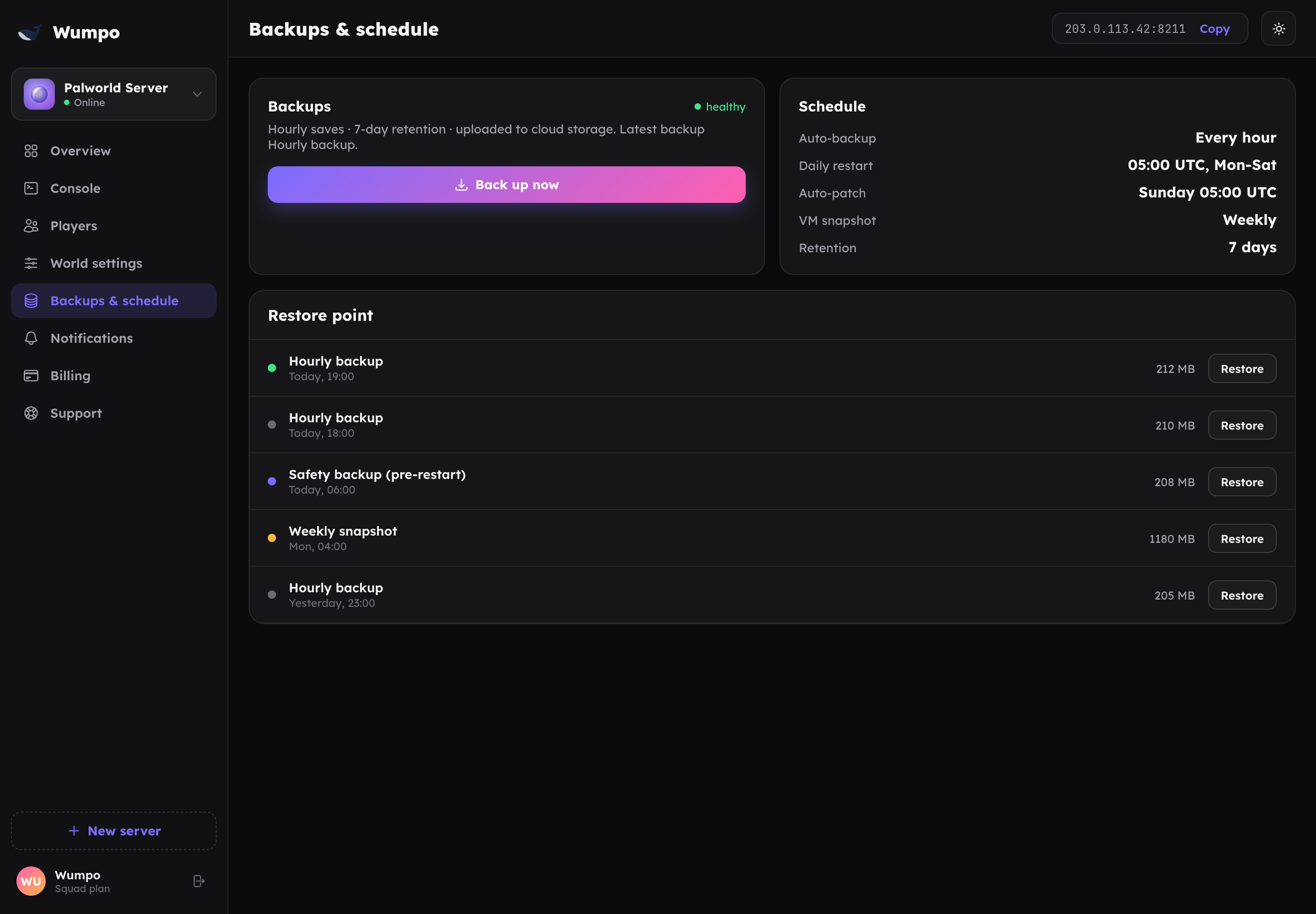
What gets backed up, and when
- Hourly saves. Your world is backed up every hour, automatically.
- Safety backups. Before a restart or a risky action, we take an extra backup first, so you are always covered.
Backups are kept for 7 days, so you always have a week of restore points to roll back to. Older ones are cleared automatically to keep the list tidy.
Restoring
Open the Backups panel, pick the restore point you want, and choose restore. We handle it safely: the current world is set aside first, so if anything looks wrong the restore can be rolled back cleanly. Your squad should be off the server during a restore.
When to restore
- Someone destroyed the base and you want it back.
- A world change did not go the way you hoped.
- A world became corrupted or started behaving oddly.
Pick the most recent restore point from before the problem, and you will lose as little progress as possible.
Good to know
- Restoring replaces the current world with the chosen backup, so anything built after that point is not kept. Choose the closest restore point before the problem.
- Backups run whether or not anyone is online, so your world is protected around the clock.