
Console and commands
The Console panel shows your server's live log and lets you send supported commands. It is the quickest way to see what the server is doing right now and to run the occasional admin command.
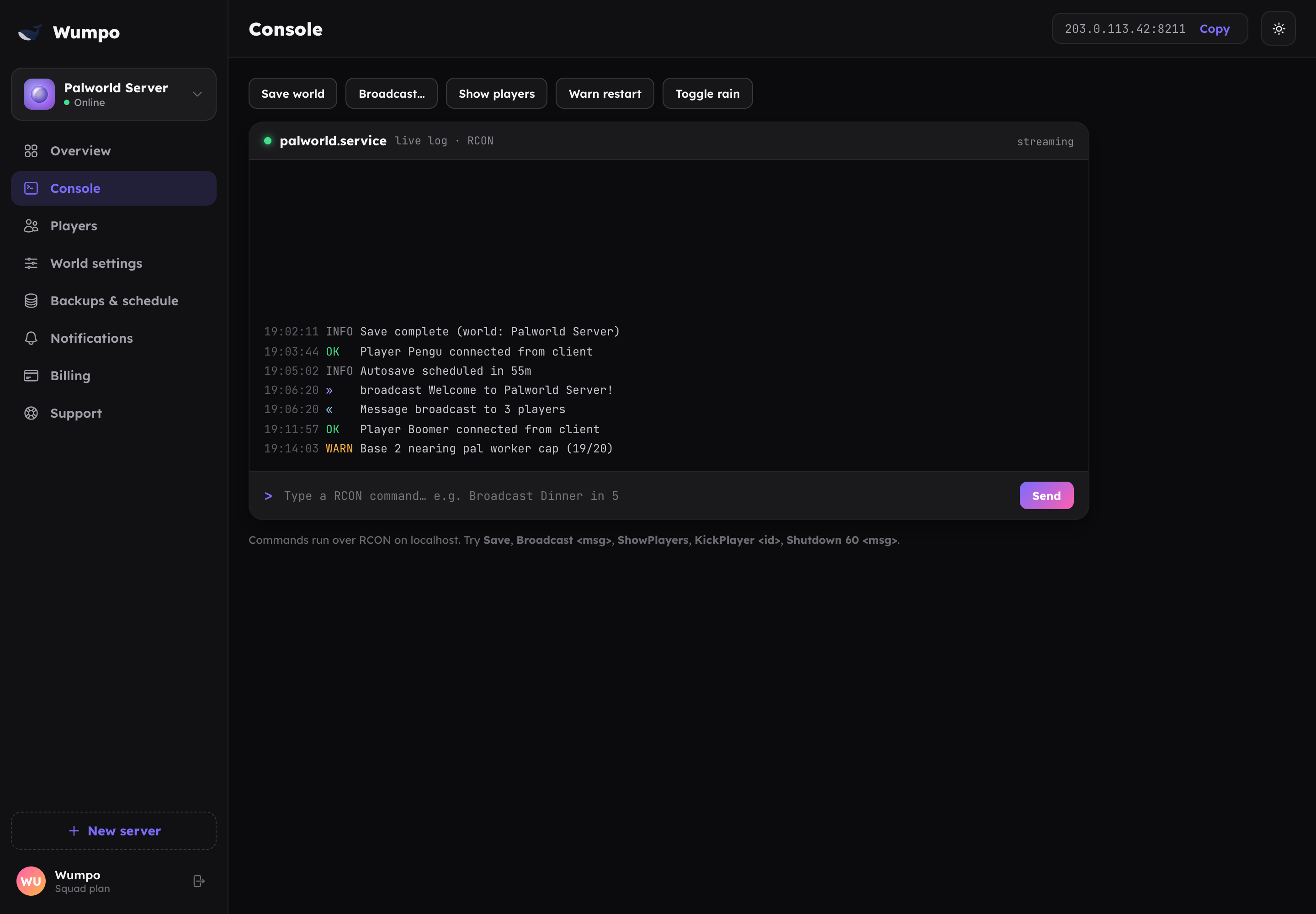
The live log
When you open the Console, recent server output streams in live: players joining and leaving, world saves, restarts and other events. It is a useful first stop when something looks off, and pairs well with Troubleshooting.
The log is read-only. To act on the server, use the command box or the other panels.
Sending commands
Below the log is a command box. Type a supported command and send it to the running server. What is available depends on the game you are hosting, for example broadcasting a message, saving the world, or listing who is online.
Many everyday tasks have a friendlier home elsewhere in the dashboard:
- Kicking or banning a player: use Players.
- Changing rules like difficulty or player limits: use World settings.
- Restarting or stopping: use Overview.
Use the console when you want direct control or a command that does not have its own button.
Tips
- The command box only affects the server while it is online. If the server is stopped, start it first from the Overview.
- Commands take effect immediately on the running world. Settings changes, by contrast, apply on the next restart.